PlayerPro Music Player (Pro)
One of the best music players on android
1.8
Reviews
28
Discussion
Check update
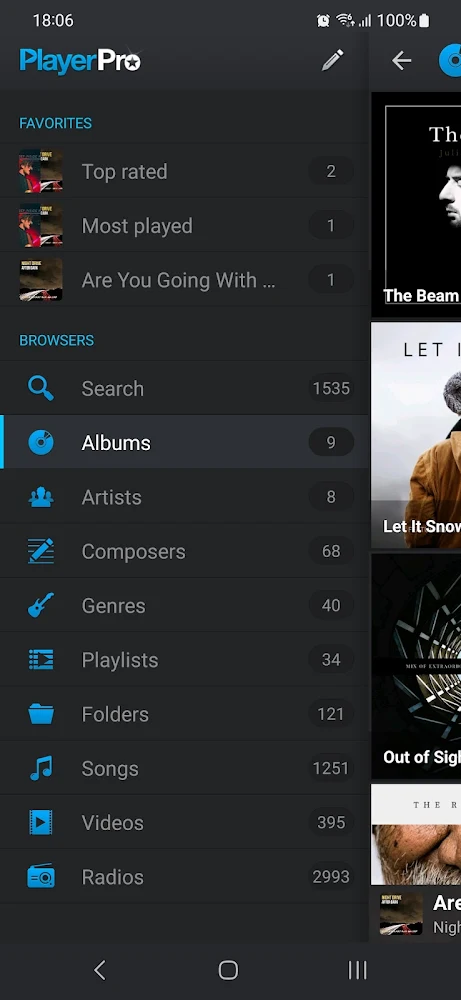
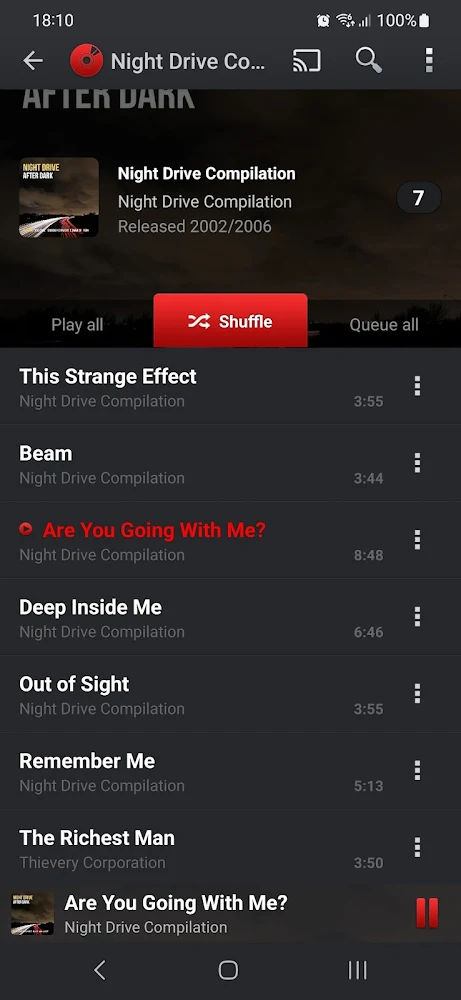
PlayerPro Music Player - audio player for Android with an intuitive interface, support for playlists, folders and manual control of the equalizer.
Features:
Features:
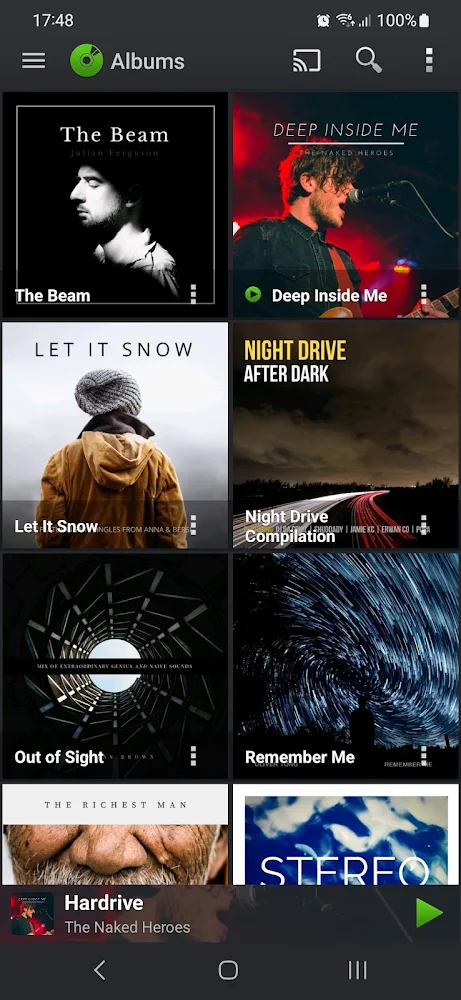
- View and play music by albums, artists, genres, songs, playlists, folders and artist albums.
- View and play video.
- Autoload missing album artwork, photo artists and illustrations of genres.
- Manual selection of necessary album covers, photo artists, illustrations of genres from the Internet, galleries, ID3 tags, album folder.
- Change the interface with 20+ SKINS.
- Customize the view: BADGES or LIST.
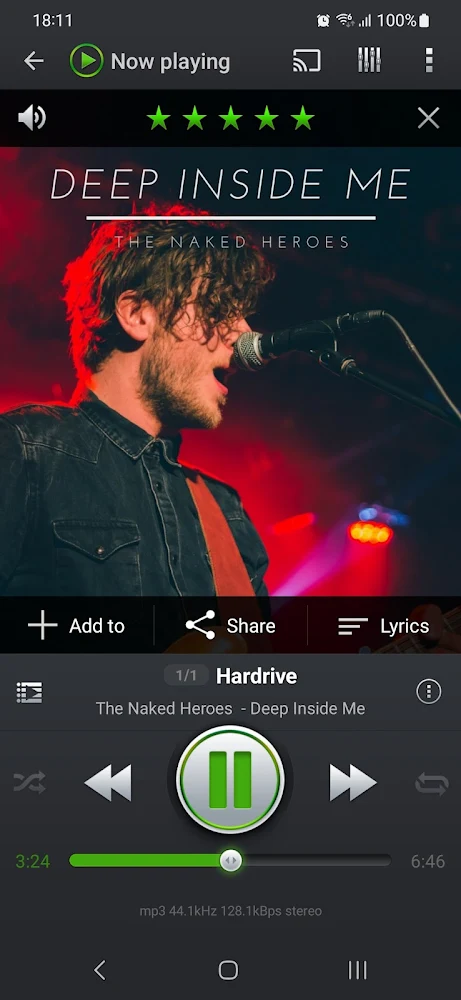
- Download, search and save LYRICS (words) using standard ID3 tags.
- Single and group EDITING of TAGS: title, album, artist, artist of the album, track, year, genre, commentary.
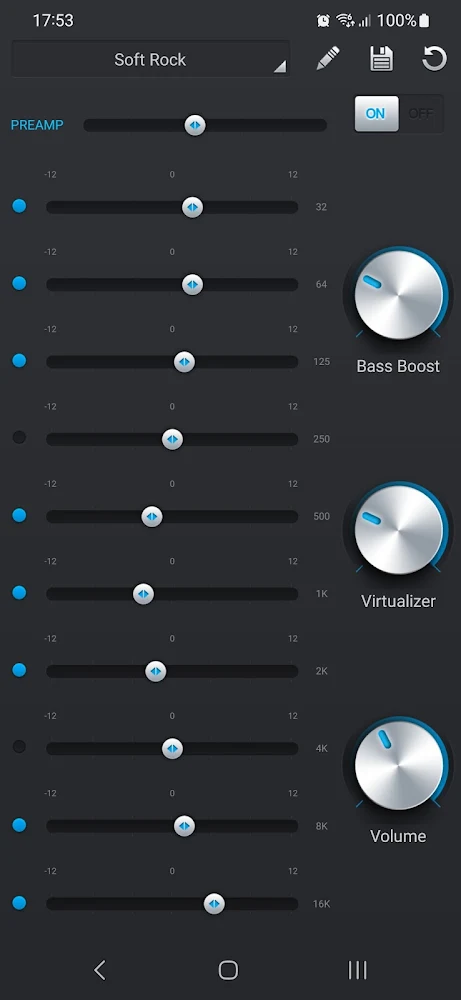
- Mixed AUDIO EFFECTS for Android> 2.3: 5-band graphic EQUALIZER
- Effect of LOW-FREQUENCY, volume control.
- Sound effects Dolby and SRS for HTC devices equipped with this module
- Statistics and SMART PLAYLISTS: recently added, high rating, popular, recently played, least played.
- Import / export history and ratings from desktop music players: Songbird, Winamp, Windows Media Player, MediaMonkey ...
- Selecting music folders.
- Select 2 SCREEN LOCK widgets with different settings: unlock the slider, skip tracks with the volume button, gestures, display the timeline
- Select 5 different home screen WIDGETS (4x1, 2x2, 3x3, 4x4, 4x2). All widgets are customizable: 6 different SKINS are available, the ability to display the artist's photo instead of the album cover, the ability to display ratings, control random / repeat playback, etc.
Version
5.19
Version code
0
Android OS
Android 4.4W
Disk space
0 Байт
Updated
16 Aug 2020
First release
04 Nov 2013
Open GL
Views today
3
Rating
1.8
Hits today
0
This application cannot be downloaded. The files for this application are outdated and are not relevant at this time.
About filetypes
XAPK and APKS are original file formats fully compatible with versions from Google Play. Use them if official versions in Google Play are unavailable to you. All your saves and progress will remain unchanged when updating. Installation: For APKS use SAI, For XAPK — XAPK Installer.
How to update PlayerPro Music Player (Pro)
- Download the new version of the app
- Install it over the old one (do not uninstall the previous version)
- Important: The update will only work if the previous version was downloaded from our website. If the app was installed from another source, the new version will cause a signature conflict, and you will see the error "App not installed".
- You can read more about signatures in the documentation.
Attention
Due to the modified signature and modifications, the native security may detect the app as malicious.Similar Apps

Spotify: Music and Podcasts
The popular music player is now on your smartphone
Version: 9.1.62.1601
185.4 МБ
03 Jul 2026

Yandex Music, Books & Podcasts
Listen to legal music online and offline
Version: 2026.06.4 #153.1gpr
108.55 МБ
02 Jul 2026
NEW

Symfonium: Music player & cast
Modern music player with cloud integration
Version: 15.0.0B6
44.52 МБ
29 Jun 2026
NEW
FM Synthesizer
Programmable polyphonic synth with FM synthesis
Version: 2.3.6-release-A16-16K
5.09 МБ
28 Jun 2026
NEW

PlayerPro Blue Wonder Skin
Dark skin for PlayerPro music player
Version: 4.6
14.52 МБ
28 Jun 2026

КИОН Музыка: песни, подкасты
Listen to music and podcasts offline and online
Version: 9.74.0
158.28 МБ
25 Jun 2026

Shazam: Find Music & Concerts
An app for music recognition. Full version
Version: 16.47.1-260622
61.62 МБ
25 Jun 2026
NEW

Zeno Radio
Listen to global radio stations easily and conveniently
Version: 6.2.5
309.27 МБ
21 Jun 2026
NEW

NoiseLab - Audio Noise Remover
AI-powered noise removal for audio and video
Version: 0.0.17_BETA
100.25 МБ
20 Jun 2026
NEW
Music Player&Audio:Echo Player
Powerful audio player with equalizer and bass
Version: 2.3.2
57.62 МБ
16 Jun 2026
New Comments