
PicWish: AI Photo Editor
AI photo editor: remove background, enhance quality
3.4
Reviews
0
Discussion
Check update
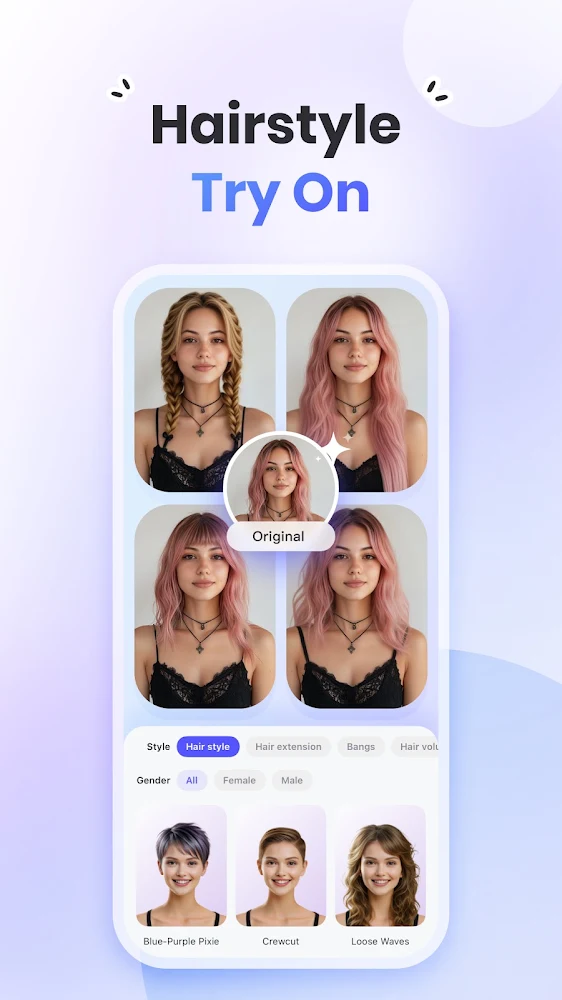
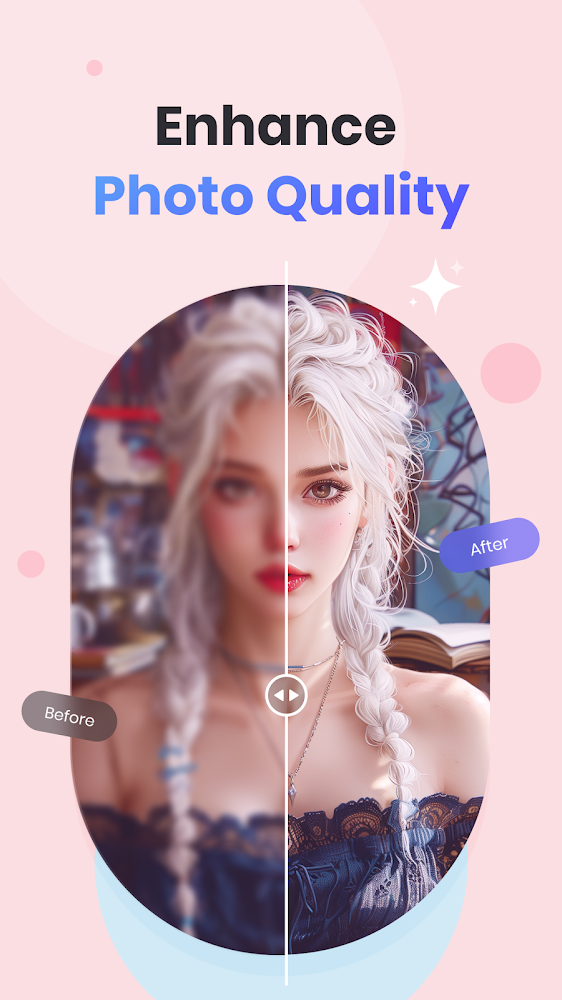
PicWish is a powerful AI photo editor that automatically removes backgrounds, enhances clarity, and restores old images. The app requires no special skills: just upload a photo, and the neural network does all the work. You can create attractive visuals for social media, online stores, or personal archives.
Key features include one-click background removal, photo quality enhancement and colorization of black-and-white images, retouching to remove unwanted objects, and AI background generation for unique themes like holidays. Batch processing handles up to 30 images at once, saving time on large volumes.
The app also offers ID photo tools, text and logo addition, and resizing. A PicWish Pro subscription unlocks high-definition export, all templates, and watermark removal. A 3-day free trial lets you explore all features.
Key features include one-click background removal, photo quality enhancement and colorization of black-and-white images, retouching to remove unwanted objects, and AI background generation for unique themes like holidays. Batch processing handles up to 30 images at once, saving time on large volumes.
The app also offers ID photo tools, text and logo addition, and resizing. A PicWish Pro subscription unlocks high-definition export, all templates, and watermark removal. A 3-day free trial lets you explore all features.
Version
2.3.3
Version code
148
Android OS
Unknown
Disk space
132.65 МБ
Updated
13 Jul 2026
First release
01 Jun 2026
Open GL
Views today
0
Rating
3.4
Hits today
0



Files for downloads
PicWish: AI Photo Editor
Version: 2.3.3 :: 13 Jul 2026
Apks Original arm64 132.65 МБ
About filetypes
XAPK and APKS are original file formats fully compatible with versions from Google Play. Use them if official versions in Google Play are unavailable to you. All your saves and progress will remain unchanged when updating. Installation: For APKS use SAI, For XAPK — XAPK Installer.
Authentication required to add a comment. Please sign in or sign up
How to update PicWish: AI Photo Editor
- Download the new version of the app
- Install it over the old one (do not uninstall the previous version)
- Important: The update will only work if the previous version was downloaded from our website. If the app was installed from another source, the new version will cause a signature conflict, and you will see the error "App not installed".
- You can read more about signatures in the documentation.
Attention
Due to the modified signature and modifications, the native security may detect the app as malicious.Update history
13 Jul 2026
2.3.3 (148)
01 Jun 2026
2.3.2 (147)
Similar Apps

Google Photos
Free online storage of your photos
Version: 7.84.0.949657053
160.08 МБ
24 Jul 2026

Persona: AI Beauty Editor
Application for creating perfect selfies, videos and photos
Version: 1.7.54
352.13 МБ
21 Jul 2026

Photoroom: AI Photo Editor
Multifunctional and comfortable photo editor
Version: 2026.30.02
260.39 МБ
21 Jul 2026

Lensa: photo editor & AI art
A powerful photo editor for perfect selfies
Version: 6.3.6+880
263.41 МБ
21 Jul 2026

Lightroom Photo & Video Editor
Iconic photo editor for photo lovers
Version: 11.4.5
339.12 МБ
21 Jul 2026
NEW

Snaphouss
Convenient real estate photography booking service
Version: 1.1.5
157.62 МБ
20 Jul 2026

AI Marvels - AI Photo & Video
Powerful AI photo editor and video generator with trendy templates
Version: 2.12.0
334.7 МБ
19 Jul 2026

Presets for Lightroom — FLTR
Over 700 Presets for Adobe Lightroom Photo Editor
Version: 4.22.0
145.94 МБ
19 Jul 2026
NEW

Hypocam
Professional black and white camera with live controls
Version: 2.4.9
92.31 МБ
17 Jul 2026

Picsart AI Photo Editor, Video
The best features of many photo apps
Version: 30.3.8
222.71 МБ
15 Jul 2026