
GPP Remote Viewer
Control your computer from anywhere in the world
3.9
Reviews
3
Discussion
Check update
How often do you urgently need your computer when you are away from home? How often do you need a file that you left at home? This application will help you in such situations.
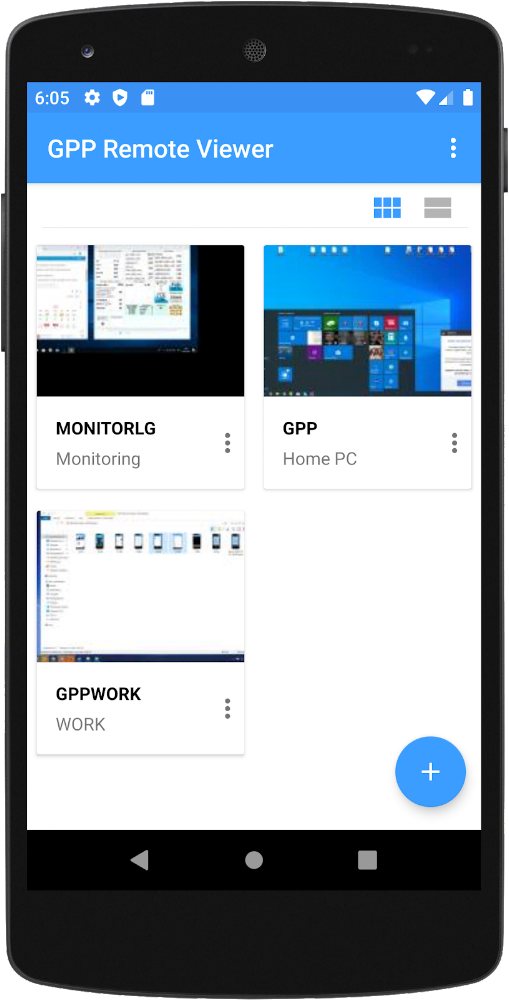
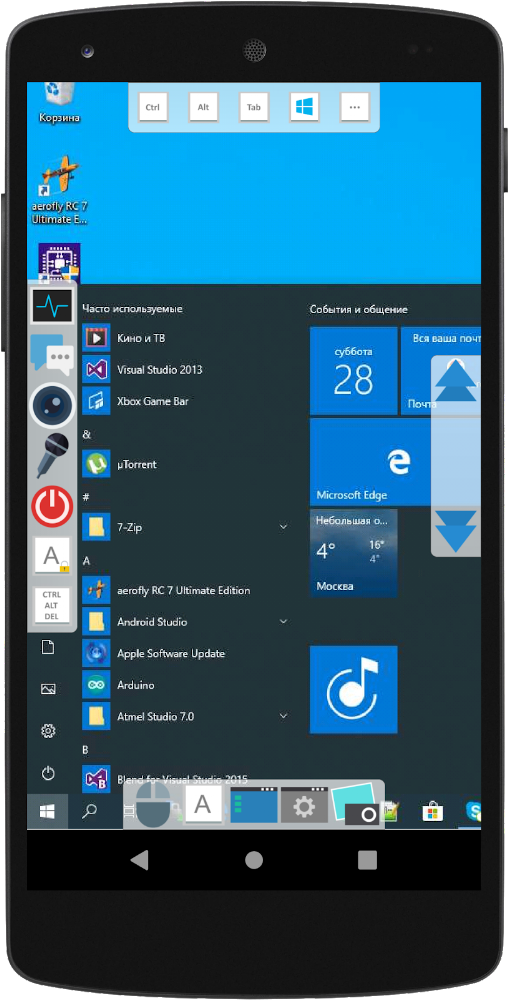
GPP Remote Viewer is an application for simple remote access to your computer anytime and anywhere. For the application to work fully, you need to install the server on your PC (included in the archive) and create an ID and password for your computer.
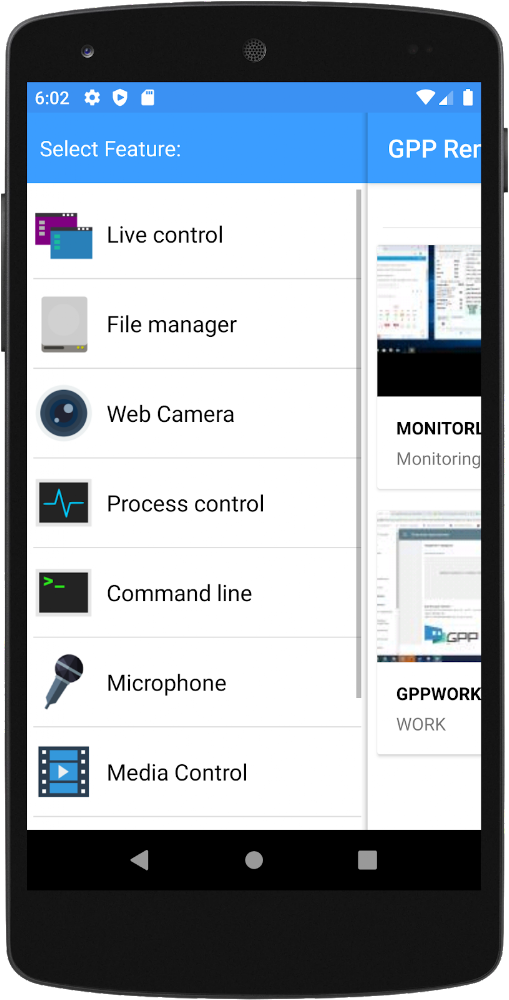
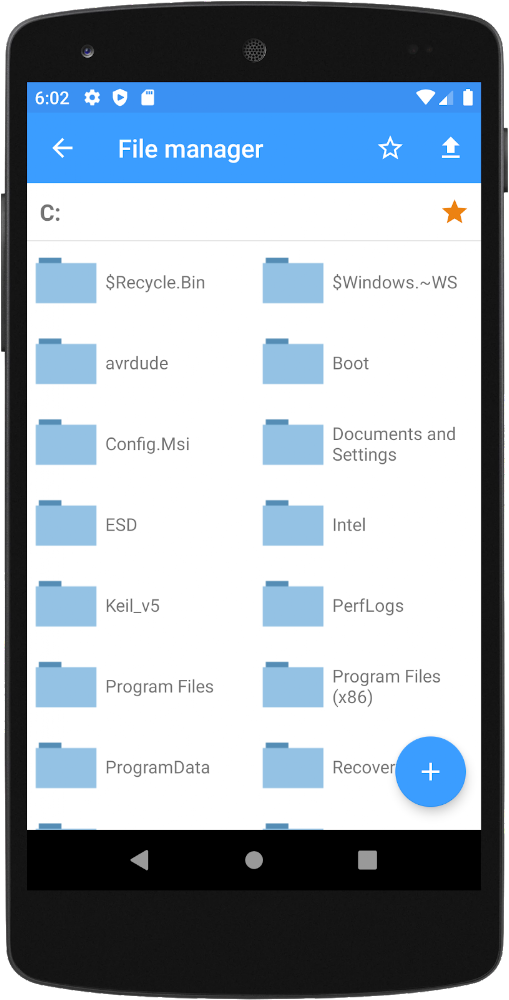
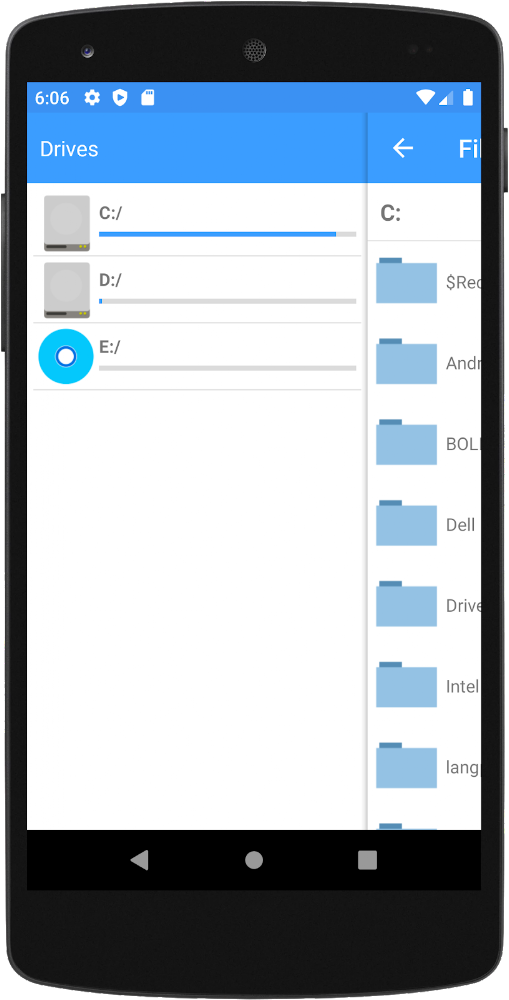
Features include screen control and monitoring, webcam image viewing, remote control, sending messages to the PC, access to files and directories, power management (such as reboot), and media player control.
GPP Remote Viewer is an application for simple remote access to your computer anytime and anywhere. For the application to work fully, you need to install the server on your PC (included in the archive) and create an ID and password for your computer.
Features include screen control and monitoring, webcam image viewing, remote control, sending messages to the PC, access to files and directories, power management (such as reboot), and media player control.
Version
2.0.1
Version code
0
Android OS
Android 4.4W
Disk space
0 Байт
Updated
-----
First release
27 Oct 2013
Open GL
Views today
3
Rating
3.9
Hits today
0
This application cannot be downloaded. The files for this application are outdated and are not relevant at this time.
About filetypes
XAPK and APKS are original file formats fully compatible with versions from Google Play. Use them if official versions in Google Play are unavailable to you. All your saves and progress will remain unchanged when updating. Installation: For APKS use SAI, For XAPK — XAPK Installer.
How to update GPP Remote Viewer
- Download the new version of the app
- Install it over the old one (do not uninstall the previous version)
- Important: The update will only work if the previous version was downloaded from our website. If the app was installed from another source, the new version will cause a signature conflict, and you will see the error "App not installed".
- You can read more about signatures in the documentation.
Attention
Due to the modified signature and modifications, the native security may detect the app as malicious.Similar Apps

Telegram
Messenger for all platforms and devices
Version: 12.9.1
126.64 МБ
25 Jul 2026
Google Chrome
Official Chrome for android
Version: 150.0.7871.186
39.12 МБ
24 Jul 2026

Yandex Mail: Email & Cloud
Yandex mail official app
Version: 9.25.1
178.74 МБ
24 Jul 2026

Google Meet
Comfortable video chat app
Version: 367.0.943868811.duo.android_20260706.00_p2
128.71 МБ
18 Jul 2026

Opera browser with VPN
Opera is now powered by Chromium
Version: 100.2.5122.89341
266.68 МБ
15 Jul 2026

LINE: Calls & Messages
an application that allows you to make FREE calls and send FREE SMS wherever you are 24 hours a day!
Version: 26.10.1
414.13 МБ
15 Jul 2026

Firefox Beta for Testers
Fast and private browser with tracker protection
Version: 153.0b12
320.68 МБ
15 Jul 2026

Mail: Почта, Облако, Календарь
Mail.ru mobile agent
Version: 15.95.0.142680
552.33 МБ
15 Jul 2026

Opera Mini: Fast Web Browser
Economy Browser for Android
Version: 99.4.2254.1608
99.13 МБ
14 Jul 2026

Brave Private Web Browser
Fast, secure browser with AI and adblocker
Version: 1.92.139
489.03 МБ
14 Jul 2026
New Comments